IONIK Labs / Sample instrument

NEXIUM

The best sounds of multiple synthesizers, all of them in one.

Shape the sample, change its movement, and build a space around it. Nexium puts playback and effects together in one instrument.

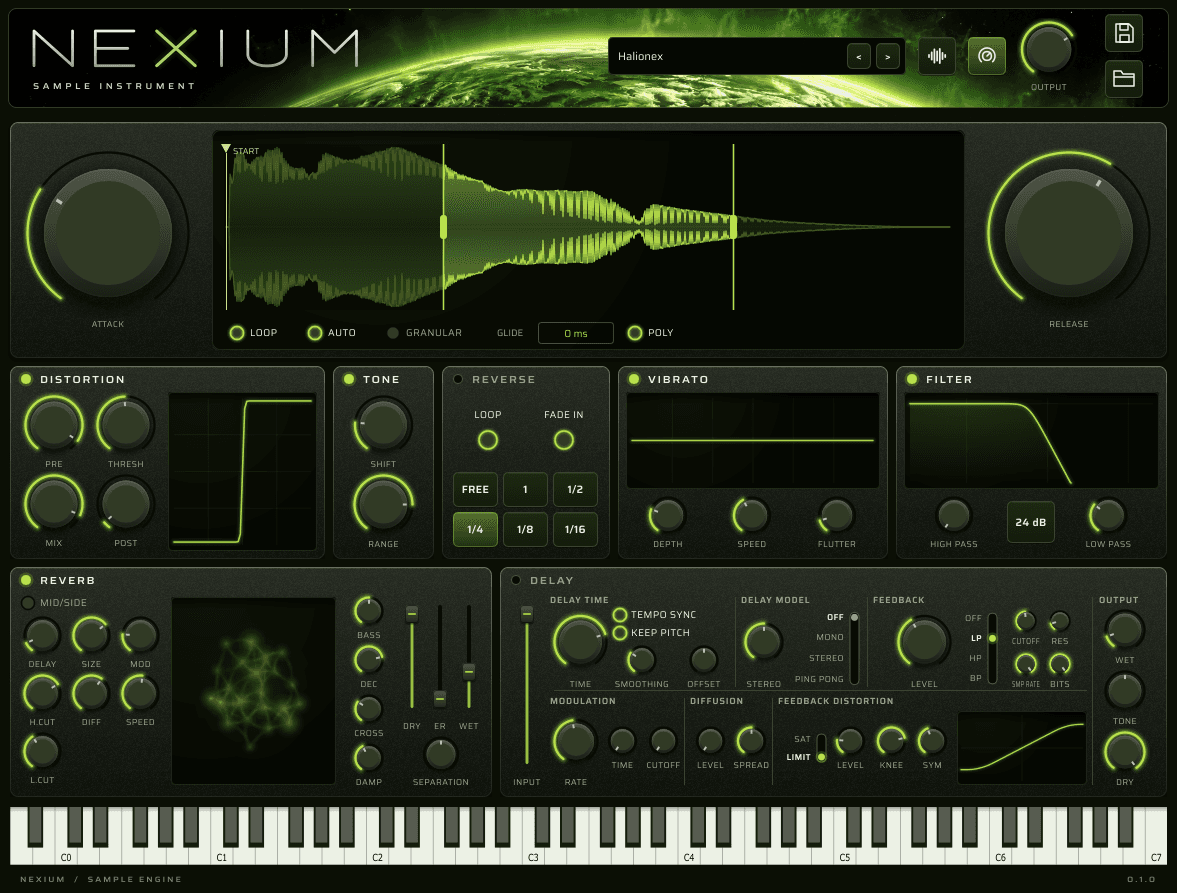
Halionex loaded in Nexium, with its waveform, sample playback controls, effects and keyboard visible.

Inside Nexium

Start with a sound. Make it yours.

A closer look at the main panel.

Waveform / Playback

Find your starting point.

Move the sample start directly on the waveform. Set a forward loop, let Auto use the sound’s own loop points, or switch to granular playback for a different texture.

Attack and Release shape the envelope. Glide connects pitches, while Poly switches between polyphonic and monophonic playing.

START · LOOP · AUTO · GRANULAR · GLIDE · POLY
Nexium waveform with Start and loop handles, Attack and Release knobs, and playback switches.
Waveform / Playback — actual Nexium interface.

Distortion / Tone

Give the sound a new edge.

Drive the sample with Distortion, then reshape its character with Tone.

Adjust Pre, Threshold, Mix and Post to shape the distortion. Use Tone’s Shift and Range controls to explore a different colour.

PRE · THRESHOLD · MIX · POST · SHIFT · RANGE

Nexium’s Distortion and Tone modules with their shaping controls and distortion curve.
Distortion / Tone — actual Nexium interface.

Reverse

Change the direction.

Turn the sample around with Reverse. Choose free timing or a rhythmic division, then shape the entrance with Fade In.

Use the Loop switch in the Reverse panel to repeat the reversed playback, or let the reversed sound play through once.

LOOP · FADE IN · FREE · RHYTHMIC DIVISIONS

Nexium’s Reverse module with Loop, Fade In and playback timing controls.
Reverse — actual Nexium interface.

Vibrato

Put the pitch in motion.

Add pitch movement to the sample, from a subtle drift to a more animated sound.

Set the amount with Depth, adjust the movement with Speed, and introduce extra variation with Flutter.

DEPTH · SPEED · FLUTTER

Nexium’s Vibrato module with its modulation display and Depth, Speed and Flutter knobs.
Vibrato — actual Nexium interface.

Filter

Focus the frequencies.

Shape the frequency range with separate high-pass and low-pass controls.

Trim the low end, soften the highs, and choose the filter slope to control how sharply the sound is filtered.

HIGH PASS · LOW PASS · SLOPE

Nexium’s Filter module with its frequency display, slope selector, and High Pass and Low Pass knobs.
Filter — actual Nexium interface.

Reverb

Build a space around it.

Set the size of the space, the delay before it arrives, and the way it moves. Balance the original sound against the reverb with independent Dry and Wet levels.

Shape the tail with decay, diffusion, damping, and low- and high-cut controls. Early reflections, separation and Mid/Side offer further control over the space.

SIZE · MODULATION · DIFFUSION · DRY / WET

Nexium’s Reverb panel with its animated display, Size and diffusion knobs, and Dry and Wet faders.
Reverb — actual Nexium interface.

Delay

Make the repeats your own.

Choose Mono, Stereo or Ping-Pong repeats. Follow the tempo or dial in a delay time, then adjust the feedback and stereo spread.

Colour the feedback with filtering, sample-rate and bit-depth reduction, and saturation or limiting. Modulation and diffusion take the repeats beyond a clean echo.

TEMPO SYNC · FEEDBACK · MODULATION · DIFFUSION

Nexium’s Delay panel, showing timing, delay models, feedback filtering, sample-rate and bit-depth controls.
Delay — actual Nexium interface.

Sound library / User sounds

Find a sound. Keep your version.

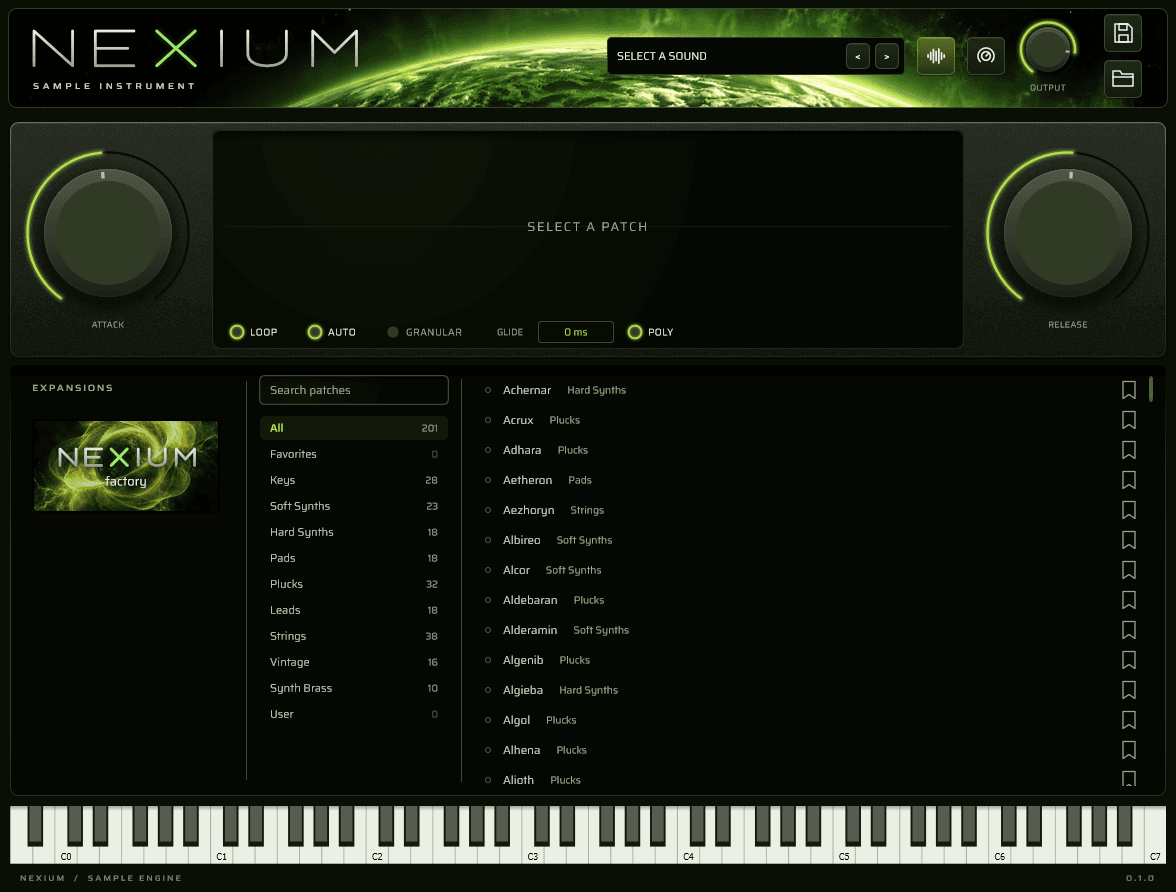
Browse by category, search for a sound, or return to your Favorites.

Drag in your own audio, or use the folder icon to import WAV files. Your samples are copied into the User library and play across the keyboard.

Save an edited factory sound as your own User version, with its samples and settings. The factory sound stays untouched; saving a User sound updates your version.

Nexium’s sound library with the factory expansion cover, category list, search and sound browser.

Stay in the loop.

JOIN THE WAITLIST

Hear it first

One email now, one on release day. Nothing else, ever.

You are on the list. Check your email — it has your place in the queue and what happens on release day.

That did not go through. Try again in a moment.

← All instruments